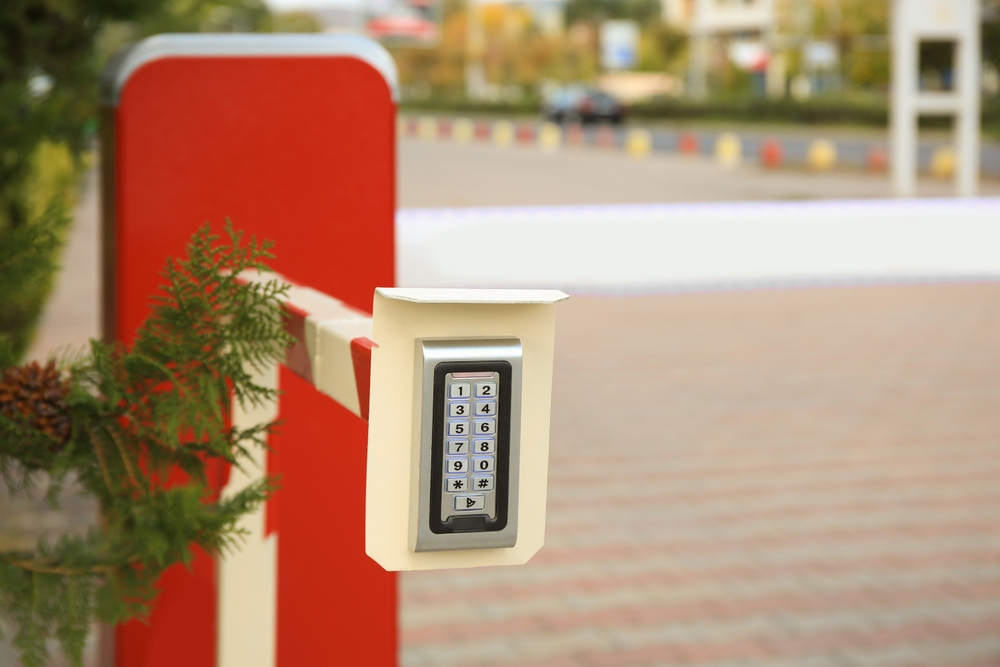
Self-storage has a structural problem no other property type shares: the business model depends on being unstaffed. Gate codes replaced gate attendants, kiosks replaced front desks, and extended access hours became a selling point. That’s efficient — and it means most of what happens on site happens with nobody there.
The result is a facility where access is granted automatically, movement is unsupervised, and disputes come down to whatever the access log and the cameras happened to capture. Here’s where that goes wrong, and what monitored coverage adds.
What actually goes wrong at storage facilities
- Shared and passed-around gate codes. A valid code proves a code was used — not who used it. Codes get shared with friends, kept by former tenants, and passed between vehicles.
- Tailgating through the gate. One legitimate entry, two vehicles in. The access log shows a single clean entry.
- Unit break-ins between visits. A cut lock can sit unnoticed for weeks, because nobody checks the aisle until the tenant returns.
- People living in units. A serious liability and insurance exposure, and one that’s obvious on camera but invisible in an access log.
- After-hours loitering and vehicle break-ins. Drive aisles and parking areas are quiet, enclosed, and unobserved.
- Dumping and vandalism. Someone offloads what they don’t want and leaves you the disposal bill.
Notice the pattern: access control tells you a gate opened. It doesn’t tell you what happened after — and that gap is where nearly every storage dispute and claim lives.
Access control and cameras solve different halves
Most facilities already have both a gate system and cameras, and owners reasonably assume that’s coverage. In practice each answers only part of the question:
- Access control logs a credential — who was authorized, and when.
- Recorded cameras capture footage — reviewable later, if the angle was right and the retention window hasn’t rolled.
- Neither puts a person on the site while something is happening.
That third gap is what monitoring fills. It’s also why tenants who report a break-in are often told the same thing: we’ll pull the footage and get back to you.
How Self-Storage Security Monitoring Deters Break-Ins
With self-storage monitoring, trained operators watch your covered cameras during your monitored hours:
- Gate and drive-aisle coverage. Operators watch entry points and aisles during the service hours in your plan, with AI-assisted detection flagging movement in restricted areas or after-hours zones.
- Verification, not just logging. Operators confirm what’s actually happening — a tenant loading a van at 9 p.m. is not the same as two people working a lock with a grinder.
- Live response. Where speakers are installed, voice intervention lets an operator issue a live warning, which often ends the activity, and escalate per your approved protocol.
- Documented incidents. Confirmed events get written reports with video references — the record you need for a tenant claim, an insurer, or a police report.
Access log vs monitored coverage
| Scenario | Gate system alone | With monitored cameras |
|---|---|---|
| Two vehicles enter on one code | Logged as one entry | Second vehicle seen and documented |
| Lock cut on a unit overnight | Nothing until the tenant returns | Activity seen live, response per your protocol |
| Someone sleeping in a unit | Not detectable | Observed and reported to management |
| Vehicle broken into in the lot | Manual footage search after the report | Incident report with time and video reference |
| Dumping in the drive aisle | Disposal cost, no attribution | Captured and documented as it happens |
| Former tenant uses an old code | Appears valid if not purged | Movement reviewed against expected activity |
Coverage that matches extended access hours
The hours that sell units are the hours that carry risk. If you advertise extended or late access, you’ve extended the window in which the site is occupied but unsupervised.
- After-hours coverage — from close of office through to morning, when the site is unstaffed but accessible.
- Full 24-hour coverage — for larger sites, urban locations, or facilities with a history of incidents.
- Targeted zones — gates and drive aisles monitored while interior hallway cameras stay recorded-only.
Operators watch covered cameras live during the service hours in your plan, so coverage lines up with your actual access policy rather than a generic schedule.
Benefits of Self-Storage Security Monitoring
For storage operators, monitoring tends to pay back in places that aren’t strictly “security”:
- Tenant disputes get resolved by a documented record instead of a footage hunt.
- Occupancy conversations get easier — monitored coverage is a real differentiator against the facility down the road.
- Liability exposure from people living on site drops when it’s caught early rather than discovered after an incident.
- Staff time stops being consumed by after-the-fact footage review.
Frequently asked questions
We already have a gate system and cameras. What does this add?
Your gate logs a credential and your cameras record footage — but neither puts a trained person on the site while something is happening. Monitoring adds live review during your monitored hours, response through speakers where they exist, and documented incident reports.
Can you use our existing cameras?
In many cases, yes. Compatible existing systems can usually be connected to the monitoring workflow. A site review confirms compatibility and identifies gaps — most often in drive aisles and at the gate.
Does this work for unstaffed or fully automated facilities?
That’s the clearest fit. When there’s no on-site staff, remote operators become the only people watching during your coverage window.
Can operators respond when they see a problem?
Yes, following your approved response plan: a live voice warning where speakers exist, contacting your designated people, escalating to emergency services when the situation calls for it, and documenting the event.
Is this cheaper than hiring on-site staff?
For many facilities, remote monitoring covers the after-hours window at a lower cost than staffing the site, while watching multiple camera views at once. It can complement or reduce dependence on on-site coverage depending on the property — see our guards vs remote monitoring comparison.
What does it cost?
It depends on camera count, site size, coverage hours, and the response and reporting you need. Our cost guide covers the factors, and a site review produces an estimate for your facility.
The bottom line
Self-storage is designed to run without staff, which makes it efficient — and unobserved. A gate code proves a credential was used; a camera proves something was recorded. Neither puts anyone on site while a lock is being cut.
Gazer Monitoring provides self-storage facility monitoring across Canada — covered cameras watched live by trained operators during your monitored hours, with documented incidents. Request a free assessment and we’ll scope coverage to your gates, aisles, and access hours.